
Turn quiet
Media into
Power.
Increase boosts volume up to 300%, improves clarity, and lets you export ready-to-share media in a few taps.
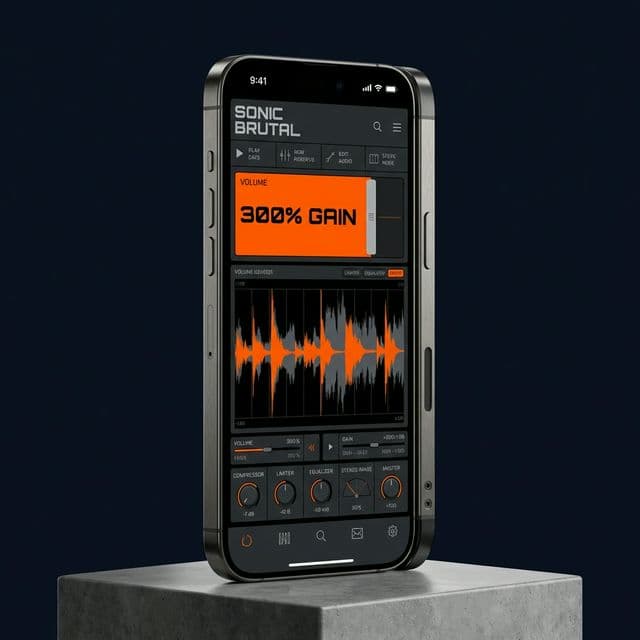
Your content sounds great until volume drops.
Viewers skip, listeners strain, and edits feel unfinished. Low volume kills retention instantly.
Increase fixes low-volume media violently fast.
It combines massive boost controls, smart normalization, and rapid export so your audio lands clearly the first time.
Core
Features.
300% Boost
Go from subtle lift to full-power enhancement with a smooth 100%-300% control.
Video Ready
Import video, extract audio, boost it, and keep your workflow moving without extra tools.
Hear Changes
Use real-time preview and interactive controls to dial in the exact sound you want.
Fast Output
Export and share boosted files immediately when processing is complete.
Library
Store media in folders, reopen recent files, and keep everything ready for your next edit.
Execute in 3 Steps
Import
Audio or video from your device.
Enhance
Choose a preset or adjust boost level.
Export
Share your boosted media instantly.
Made for
Real Audio
Creation
Reels, TikTok, YouTube clips
Podcast
Interviews, voice notes
Listening
Music, audiobooks
Social
Stories and uploads
Processing
Economy
Increase uses BST credits for processing so you only pay for what you use. You can top up anytime inside the app.
FAQ
Yes. Import either format. Video files can be processed with boosted audio output.
Adjust from normal level up to roughly 3x (300%), depending on your source material.
Yes. Audition changes and adjust boost levels before final export.
Processing uses BST credits. Purchase additional credits in-app.
Yes. Configured for 12 languages.
Stop Losing
Quality.
Boost, clean up, and export in minutes with Increase.
Download App StoreSee how it works